RAINBOW DISPLAY UNITS
The SPADE series TFT display is a unit for dimensional measurement with high precision and accuracy. Built-in channels for inductive probe or air gauge input, can be used to take different dimensional measurements and generate a combined result through relays.The device is fully customizable and configurable. Even the number of inputs can be extended using expansion interface device. The device can be connected to digital input/output expansion unit to have up to 24 digital inputs and outputs. The device has three built in relays for asserting result signal.
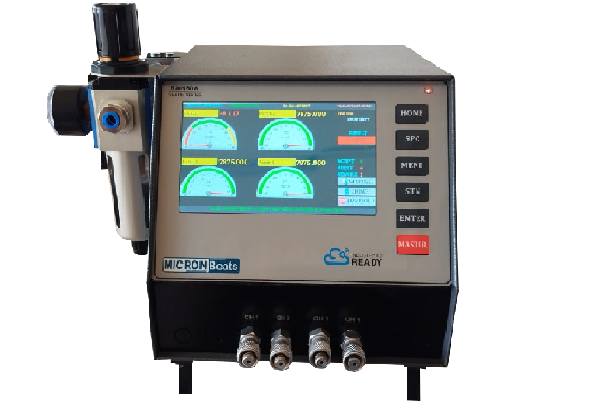
Rainbow air
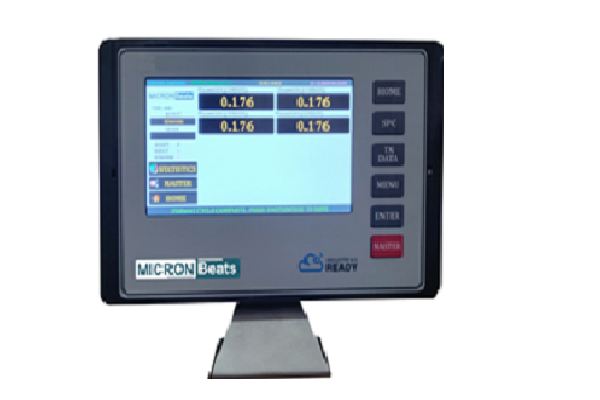
Rainbow probe
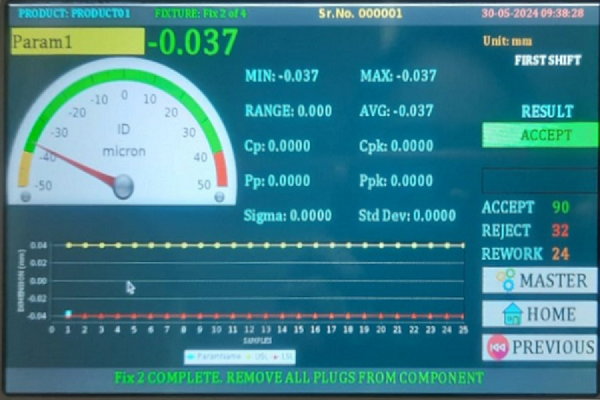
Measurement screen

Measurement screen

Measurement screen

Measurement screen
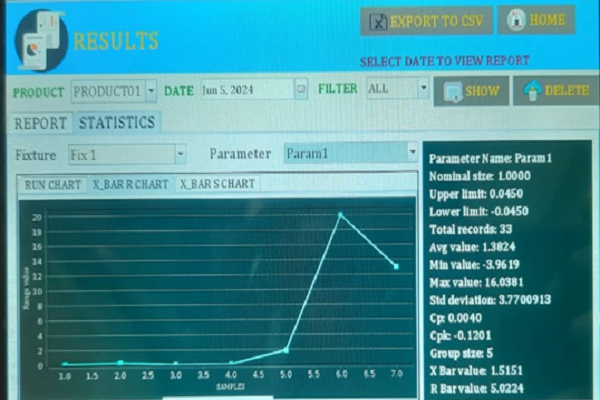
Report
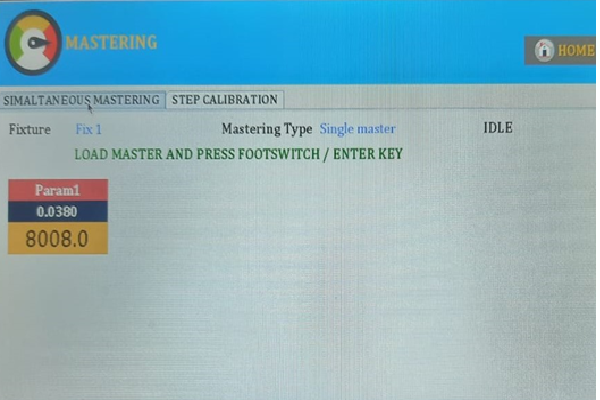
Mastering
USER MANUAL:
| SR NO. | Unit | Firmware Version |
|---|---|---|
| 1 | Rainbow unit all channels |
 V2.30 and later V2.30 and later
|
Feature:
- 7” or 10” Color TFT display for clear viewing and graphical presentations.
- Standard HDMI monitor.
- Dual Interface Touch + keyboard and mouse operation.
- 3 built-in relays for fixture result(ACCEPT / REWORK / REJECT).
- Rainbow unit ensures a friendly interface with clear layout and user-friendly messages, making operation easy for all users.
- Low Air Pressure Alert*: Rainbow unit includes a low air pressure alert feature, ensuring users are promptly notified if the air pressure falls below a specified threshold. This proactive warning helps to prevent issues related to insufficient air pressure during the monitoring process.
- Safe shut down*: Protects the device in case of a power outage by automatically shutting down the device.
- The air is automatically cut off after selecting the setting.
- SPC Features: Min, Max, Range, Avg, Cp, Cpk, Pp, PPk, Std Deviation, Mean etc.
- Dynamic charts for comprehensive analysis:
- Histogram
- Run Chart
- X-bar R Chart
- X-bar S Chart
- Pie Chart
- Operation Mode: Rainbow unit offers flexibility in parameter checking by providing five distinct modes:
- Manual
- Simultaneous
- Random_ Independent
- Random_ Mandatary
- Sequential
- Easy Report Generation: Rainbow unit simplifies the process of creating reports through its user-friendly interface. Users can effortlessly generate comprehensive reports in CSV format for data manipulation for easy sharing and viewing.
- Auto correction command (Script) can be sent through RS232, Ethernet interface.
- Advance feature of onsite firmware updation.
- Mastering can be configured on hourly basis.
- Setable Shift timings.
- Grading option fully configurable with relay output for each grade through external IO expansion for up to 12 grades.
- External IO expansion can also be used for separate relay output for any selected parameter. Up to 16 external outputs are available.
- Metric/Inch measurement unit.
- 16 GB of internal storage where large number of readings can be stored. Stores measurement results with time stamp.
- Manual/AutoSave/ Auto Sense facility.
- Results can be exported in .CSV format through USB port directly.
- Password protection for all settings.
- Serial number has modes as AUTOMATIC, MANUAL ENTRY and SCANNER input. When SCANNER mode is selected, barcode or QR code scanner can be directly connected to device for serial number.
- In AUTOMATIC mode, serial number increments internally and can reset on daily, monthly, and yearly basis or at preset batch count.
- User selectable communication channels viz Ethernet and RS232.
- TCP/IP protocol over Ethernet allows sending data to server or cloud computer.
- Number of input channels can be increased by attaching standard IO interface device.
- Built-in auto-correction options to directly connect device to CNC machine. Binary, BCD, Direct program script options of auto-correction are supported.
- There are three modes for serial number.
- Automatic mode:Serial number increments automatically after every checked component.
- Manual mode:If manual mode is selected user have to enter serial number for every measurement cycle manually
- Scanner mode:If scanner mode is selected user can capture serial number using scanner.